MotionSkill.me
Search skills ⌘ K
EN

GPT Image 2.5 Prompts

Explore original prompts with real results. Copy one, edit it and make it yours.

9 results

Prompts

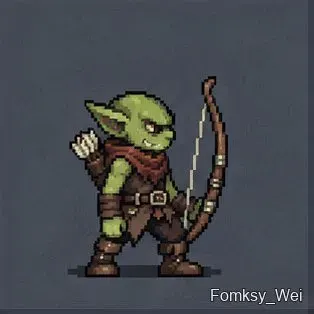
16-frame goblin archer sprite sheet

GPT Image 2.5Game

16-frame goblin archer sprite sheet

Without using a skill, create a sprite sheet containing the full motion of a male pixel-art goblin drawing and firing a bow, for a total of 16 frames. Then slice the sheet into frames and make a seamless looping GIF.

@Fomsky_Wei
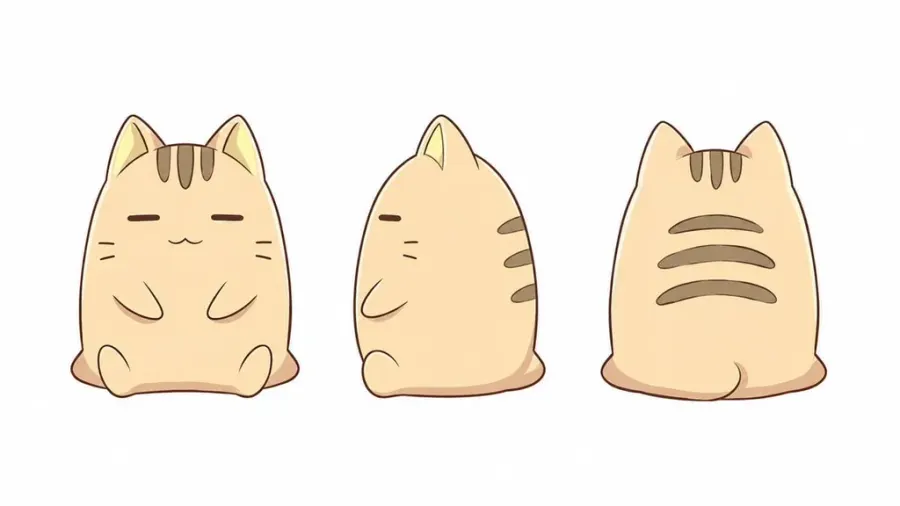
Sprite Sheet of Four Dot-Art Character Motions

GPT Image 2.5Game

Sprite Sheet of Four Dot-Art Character Motions

添付キャラクターの顔・髪型・衣装・配色・体格を統一し、ゲームで映える4種類のドット絵モーションを、各最大4フレームで1枚のスプライトシート画像に生成して。1フレームのサイズは256x256px。 ・走る:体を前傾させ、手足を大きく交互に動かす。

@npaka123
16-Bit Crow Sprite Sheet

GPT Image 2.5Game

16-Bit Crow Sprite Sheet

Make a sprite sheet, 16-bit style, 32X32 per image, of a crow flying, taking off, and then landing.

@CharlesUchi_Dev
Sea Elf Fisherman Character Portrait

GPT Image 2.5Game

Sea Elf Fisherman Character Portrait

森じゃなくて、海で生きるエルフ。 TRPG人外図鑑 FILE.022|リゼア 種族:エルフ 職業:沿岸漁師/潮目読み 132年ぶんの記憶を頼りに、 海面の色、風、鳥、波、匂いを読む。 「魚を探すんじゃない。  海が変わるところを見るの。」 《潮見浜》で今日も海を見る、ひとりの漁師です。

@uzuyanurp
Realistic Screenshot of Next-Gen Romance RPG

GPT Image 2.5Game

Realistic Screenshot of Next-Gen Romance RPG

Please capture a realistic screenshot from a fictional next-generation 3D open-world romance RPG, presented from the male protagonist's

@underwoodxie96
Character Battle Sprite Sheet Pixel Art

GPT Image 2.5Game

Character Battle Sprite Sheet Pixel Art

Create a sprite sheet of this character's battle motion. 128px simplified pixel art, 4x4=16 frames, transparent

@Studio_Tora_lab
Character Battle Sprite Sheet Pixel Art

GPT Image 2.5Game

Character Battle Sprite Sheet Pixel Art

このキャラクターの戦闘モーションのスプライトシートを作って 128pxの簡略化されたpixelart、4x4=16コマで作成 背景は透過 立ち姿・剣で斬る・ガード・ノックダウン状態・4種類(4コマx4種類)で作成して

@steam_gamer_jp
Pixel Art Sprite Sheet for Character

GPT Image 2.5Game

Pixel Art Sprite Sheet for Character

このキャラクターの128pxの簡略化されたpixelartの戦闘モーションのスプライトシートを作って。透過できるなら透過。4x4で配置すること ※background="transparent"

@tetumemo