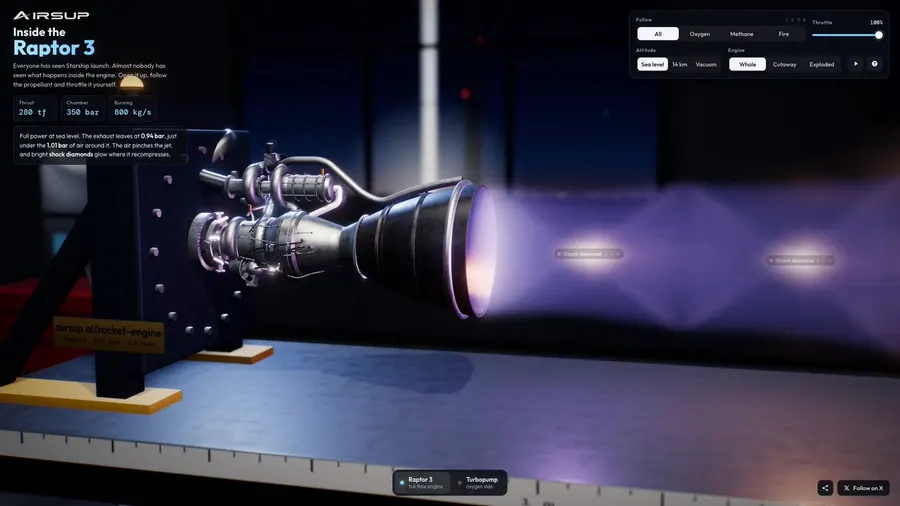
Interactive 3D rocket engine explainer in browser
@konstantinsaifo
Creador: @charliejhills ↗
This is insane. Opus 5.5 made this entire video. Here's how I set it up in 10 steps: Every prompt I used is in my newsletter (free). Get the full walkthrough https://t.co/m9Jx8syxQa First, get Claude ready (both installs are free): 1. Open Claude Code and pick Opus 5.5 2. Install the HyperFrames video skill 3. Add my 13 free motion skills 4. Test it. Tell it to go all out It writes the animation as code, then renders an MP4. So you edit it by describing the change. Then make something people actually share: 5. Give it a proper brief, not one line 6. Give notes like you would a designer Mine was "Why do we dream?" (it found a source for every fact before it drew a thing). Now make it look like yours, not everyone else's: 7. Turn 5 frames you like into MOTION.md 8. Make Claude read them before every build 9. Add Apple's motion rules, then ask for an audit 10. Use real components from https://t.co/IEjv2D6g0e, not drawn ones Step 8 is the one that makes it look like mine. Without it, the same prompt picks its own style. Repost ♻️ to help someone in your network.
Publicación original · @charliejhills ↗@konstantinsaifo

@AiBreakfast
@kimmonismus

@elliotarledge